Small business owners and operations teams spend hours each week on repetitive tasks — routing emails, processing invoices, qualifying leads, updating spreadsheets. No-code AI tools now make it possible to automate these processes without writing a single line of code or hiring developers.
These platforms combine visual drag-and-drop builders with built-in artificial intelligence, allowing anyone to create sophisticated automated workflows. The market has matured rapidly: there are now dozens of capable platforms, each with different strengths, integrations, and pricing models.
This guide covers everything you need to pick and deploy the right no-code AI platform for your business. We tested 12 tools, compared their pricing, mapped them to specific use cases, and built a step-by-step framework for choosing the right one.
Disclosure: This article is published by Arahi AI. We include our own product alongside competitors for transparency.
What Is a No-Code AI Platform?
No-code AI platforms are software tools that let users create automated business processes using visual interfaces rather than programming languages. You interact with menus, forms, and drag-and-drop builders to design workflows — no coding required.
These platforms include artificial intelligence features built directly into their systems. The AI handles tasks like reading text, understanding natural language, analyzing data patterns, classifying documents, and making routing decisions. Common AI functions include sorting emails by priority, extracting information from invoices, routing customer requests to the right department, and generating content.
How No-Code AI Differs from Traditional Development
Traditional AI development involves a complex, multi-step process requiring specialized technical expertise. Developers typically need proficiency in programming languages like Python and R, along with deep knowledge of machine learning principles.
No-code AI platforms simplify this dramatically. Traditional development follows a 5-7 step process including data preparation, feature engineering, model selection, training, and deployment. No-code platforms condense this into just four steps: data collection, drag-and-drop model training, results analysis, and workflow integration. This approach reduces development time by up to 90% compared to conventional coding methods.
The practical difference: what used to take an engineering team weeks to build, a single operations manager can now set up in a day.
Common Industry Use Cases
No-code AI platforms are changing how businesses operate across every industry:
- Financial services: Creating fraud detection systems, predictive analytics models, and sentiment analysis tools without writing code
- Healthcare: Analyzing patient data for diagnostics, classifying medical images, and implementing predictive analytics
- Retail: Developing customer segmentation, sales forecasting, and personalized recommendation systems
- Marketing: Building automated content workflows, email automation, and customer behavior analysis pipelines
- Operations: Automating onboarding, document processing, approval workflows, and cross-system data synchronization
No-code AI is making advanced technology accessible to small businesses, educators, and professionals who previously couldn't afford specialized technical teams.
Key Benefits of No-Code AI for Small Businesses
No-code business automation delivers measurable advantages for companies with limited resources and technical staff.
Cost reduction is the most immediate benefit. Businesses save money by reducing manual labor hours and avoiding expensive developer hiring. A workflow that previously required a $120K/year developer to maintain can now be built and managed by existing staff.
Implementation speed sets these tools apart from traditional automation approaches. Templates, visual builders, and prebuilt connectors allow new workflows to launch in hours or days instead of weeks or months.
- Empowered staff: Operations, marketing, sales, and support teams design and update automations directly
- Reduced bottlenecks: No waiting for engineering help or IT approval for simple workflow changes
- Faster iteration: Teams can test and adjust processes based on real results
- Rapid prototyping: Organizations can quickly adapt to changing market demands and customer needs
The scalability factor matters for growing businesses. Companies start by automating a single repetitive process and expand to more areas as they see positive results. This gradual approach reduces risk while building internal expertise with automation tools.
Key Features to Look for in a No-Code AI Platform
When selecting the best no-code AI platform for your needs, evaluating these five capabilities will ensure you get maximum value.
Visual Interface and Ease of Use
The primary goal of a no-code platform is making complex technology accessible. A well-designed interface simplifies complexity by presenting information intuitively, enabling informed decisions without understanding underlying algorithms. Look for platforms with visual builders, clear workflow mapping, and ready-made templates that minimize the learning curve.
Integration with APIs and Third-Party Tools
Strong no-code platforms connect to virtually anything with an API. This capability allows you to pull data from multiple sources and push actions across your entire tech stack. Prioritize platforms with pre-built integrations for the services you already use — CRM systems like Salesforce, communication tools like Slack, accounting software, and project management platforms.
LLM Support and Memory Handling
For AI-powered workflows, effective context handling is crucial. Advanced platforms incorporate both short-term memory (maintaining context within sessions) and long-term memory (recalling details from previous interactions). The best systems manage scoped context and include summarization mechanisms to prevent information overload while keeping agents contextually aware.
Security and Compliance Features
Security should never be an afterthought. Leading platforms encrypt data both at rest and in transit while implementing role-based access controls. Look for SOC2, HIPAA, or GDPR certifications depending on your industry requirements. Audit logs and granular permissions protect sensitive information and satisfy regulatory requirements.
Scalability and Hosting Options
Effective platforms handle growth without performance degradation. The most scalable solutions use cloud infrastructure, load balancing, and efficient resource management. Choose platforms that accommodate current needs while providing clear upgrade paths as your automation footprint grows.
12 Best No-Code AI Tools for Business Process Automation
These platforms were selected based on their usability for non-technical users, range of AI features, integration options, pricing suitable for small businesses, and active user communities. Each tool supports the shift from basic trigger-based automation to intelligent systems that make context-aware decisions.
1. Zapier + OpenAI
Zapier connects over 6,000 applications and automates workflows between them. When integrated with OpenAI, it performs AI-powered tasks like generating email responses, creating content, enriching customer data, and classifying information automatically.
The platform excels at cross-application workflows. A typical setup might automatically analyze incoming support emails, categorize them by urgency, extract key information, and route them to the appropriate team member while logging details in a CRM system.
Best for: Businesses needing broad app connectivity with straightforward AI-powered automations.
2. Make
Make uses a visual, flowchart-style interface that maps out complex automation processes. Users connect different apps and services through modules, creating workflows that handle multiple steps, data transformations, and real-time coordination.
AI process automation capabilities in Make include advanced branching logic, error handling, and conditional processing. The platform supports sophisticated scenarios where different actions occur based on AI analysis of incoming data.
Best for: Teams that need complex, multi-step workflows with visual process mapping.
3. Microsoft Power Automate With AI Builder
Power Automate integrates deeply with Microsoft's ecosystem of business tools. AI Builder provides pre-trained models for document processing, form recognition, and predictive analytics without requiring machine learning expertise.
The platform works particularly well for businesses already using Microsoft 365, Dynamics, or Azure services. AI Builder can extract data from invoices, analyze sentiment in customer feedback, or predict outcomes based on historical patterns.
Best for: Organizations already embedded in the Microsoft ecosystem.
4. UiPath Studio Web
UiPath focuses on robotic process automation (RPA) through a web browser interface. The platform specializes in automating back-office tasks, document processing, and screen-based activities that typically require human interaction with software interfaces.
Document understanding capabilities allow the system to read and extract information from PDFs, forms, and images. Both attended bots (working alongside humans) and unattended bots (running independently) handle finance, HR, and operations processes.
Best for: High-volume document processing and screen-based automation tasks.
5. Workato
Workato combines workflow automation with enterprise-grade governance features. The platform uses "recipes" (pre-built automation templates) and provides AI-powered recommendations for optimizing workflows.
Event-driven automation triggers actions based on changes in connected applications. The platform suits growing teams that need both powerful integration capabilities and administrative controls over who can create and modify automations.
Best for: Growing companies that need enterprise-grade governance and audit controls.
6. Pabbly Connect
Pabbly Connect targets cost-conscious small businesses with straightforward automation needs. The platform provides essential integrations and supports AI APIs through webhook connections and third-party services.
The learning curve remains minimal compared to more complex platforms. Users can set up basic automations quickly while keeping monthly costs low, making it suitable for businesses testing automation for the first time.
Best for: Budget-conscious small businesses with simple automation requirements.
7. Parabola
Parabola specializes in data workflow automation, particularly for analytics, ETL (extract, transform, load), and reporting tasks. The visual interface handles data processing, enrichment, and integration with APIs or CSV files.
Key features include automated data cleaning, transformation rules, and scheduled data pulls that feed dashboards or business intelligence systems. The platform excels at recurring data tasks that inform business decisions.
Best for: Data-heavy workflows involving analytics, reporting, and ETL processes.
8. Chatbase
Chatbase creates AI chatbots using ChatGPT technology without coding requirements. Users upload their content, documents, or FAQ information to train chatbots that handle customer support, lead qualification, and self-service interactions.
The chatbots integrate with websites, messaging platforms, and customer service systems. They can answer questions based on uploaded knowledge bases, escalate complex issues to human agents, and collect lead information for sales teams.
Best for: Businesses that need a customer-facing chatbot deployed quickly.
9. Adalo With GPT-4
Adalo builds mobile applications without coding and incorporates GPT-4 for conversational AI features. Users create branded customer apps, membership portals, and engagement tools that include chat functionality and AI-powered guidance.
The platform suits businesses wanting custom mobile experiences for their customers. AI features enhance user engagement through personalized recommendations, automated responses, and intelligent content suggestions within the mobile app.
Best for: Companies that need custom mobile apps with built-in AI features.
10. Tally With OpenAI
Tally creates intelligent forms that use OpenAI to analyze responses automatically. The platform can summarize feedback, tag responses by category, and generate insights from survey data without manual review.
Form automation extends beyond data collection to include automated follow-up emails, response scoring, and integration with other business tools. This works particularly well for customer feedback, NPS surveys, and lead qualification forms.
Best for: Customer feedback collection, surveys, and intelligent form processing.
11. AI Magicx
AI Magicx provides pre-built AI components for common business tasks like data extraction, content classification, and automated content generation. The platform emphasizes rapid deployment and team collaboration on automation projects.
Reusable AI blocks allow teams to build complex workflows by combining different AI functions. The approach reduces setup time and creates consistency across different automation projects within the same organization.
Best for: Teams wanting modular, reusable AI components for multiple projects.
12. Arahi AI
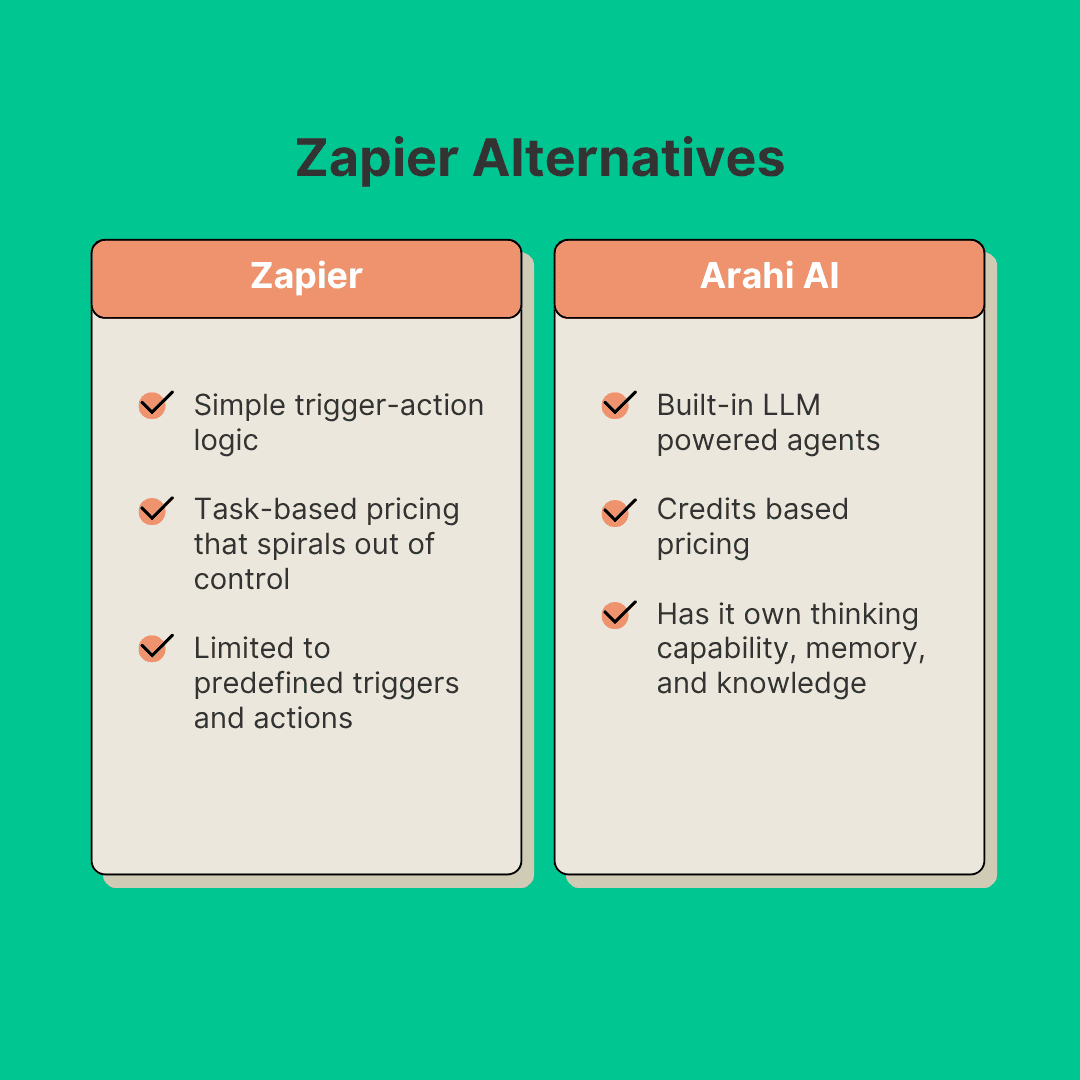
Arahi AI specializes in creating custom AI agents that operate autonomously across your business technology stack. Unlike simple trigger-action tools, Arahi AI agents can reason, take actions across apps, retain memory, and self-improve using real-world data.
The platform's integration marketplace connects with over 1,000 applications and includes comprehensive data privacy controls and audit capabilities. Agent-based workflows handle support tickets, sales processes, lead qualification, document processing, and operational tasks with minimal human oversight.
Key Features:
- Visual workflow designer with drag-and-drop functionality
- Integration with 1,000+ applications and services
- Built-in memory and context management for persistent agent reasoning
- Enterprise-grade security and compliance (SOC2, HIPAA, GDPR)
- Real-time analytics and monitoring
Best for: Businesses that need autonomous, goal-driven AI agents — not just simple automations — with deep integrations and compliance features.
No-Code AI Platform Pricing Comparison (2026)
Pricing is one of the biggest factors when choosing a no-code automation platform. Here's a side-by-side breakdown of what each tool costs, from free tiers to enterprise plans. All prices reflect current published rates as of March 2026.
| Platform | Free Tier | Starting Price | Mid-Tier | Enterprise |
|---|---|---|---|---|
| Zapier + OpenAI | 100 tasks/mo | $29.99/mo (750 tasks) | $73.50/mo (2,000 tasks) | Custom |
| Make | 1,000 ops/mo | $10.59/mo (10,000 ops) | $18.82/mo (10,000 ops, unlimited scenarios) | Custom |
| Power Automate | None | $15/user/mo | $40/user/mo (attended RPA) | Custom |
| UiPath Studio Web | Free (Community) | $420/mo | Custom | Custom |
| Workato | None | Custom (typically $10K+/yr) | Custom | Custom |
| Pabbly Connect | None | $16/mo (12,000 tasks) | $33/mo (24,000 tasks) | $67/mo (50,000 tasks) |
| Parabola | 1 flow, 500 rows | $80/mo (unlimited rows) | Custom | Custom |
| Chatbase | 20 msg credits/mo | $19/mo (2,000 msg) | $99/mo (10,000 msg) | $399/mo |
| Adalo + GPT-4 | Yes (basic) | $45/mo | $65/mo | Custom |
| Tally | Unlimited forms | $29/mo (Tally Pro) | N/A | Custom |
| AI Magicx | Limited | $9.99/mo | $29.99/mo | Custom |
| Arahi AI | — | $29/mo (500 actions) | $149/mo (2,500 actions) | $349/mo (6,000 actions) |
Key takeaway: For small businesses testing automation, Make offers the best free tier at 1,000 operations/month. For serious AI agent workflows with deep integrations, Arahi AI provides the strongest value at $29/month with 1,000+ app connections. Pabbly Connect is the budget leader for high-volume simple automations.
Best No-Code AI Tool by Use Case
Different tools excel at different types of automation. Here's a quick reference mapping common business processes to the platform best suited for each.
Customer Support Automation
Best pick: Chatbase for standalone chatbots, Arahi AI for full-stack support workflows. Chatbase gets a support bot live in minutes using your existing FAQ content. Arahi AI goes deeper — its agents can triage tickets, pull customer data from your CRM, draft responses, escalate to humans, and log everything automatically across connected tools.
Lead Qualification & Sales Routing
Best pick: Zapier + OpenAI for simple routing, Arahi AI for intelligent qualification. Zapier handles the basics well — form submission triggers, CRM updates, email notifications. For AI-driven lead scoring that analyzes message content, checks company data, and routes to the right rep with context, Arahi AI's agent-based approach handles the multi-step reasoning.
Invoice & Document Processing
Best pick: UiPath for high-volume document extraction, Power Automate for Microsoft-centric stacks. UiPath's document understanding capabilities handle PDFs, scanned forms, and images at scale. Power Automate's AI Builder does the same within the Microsoft ecosystem, pulling data from invoices into Dynamics or Excel automatically.
Data Workflows & Reporting
Best pick: Parabola for data transformation, Make for cross-platform data sync. Parabola specializes in the ETL work that feeds dashboards and analytics — cleaning, transforming, and enriching data from multiple sources. Make's visual flowchart builder excels at keeping data synchronized across platforms in real-time.
Marketing Content & Social Media
Best pick: Zapier + OpenAI for content generation pipelines, Arahi AI for autonomous content workflows. Zapier can chain together content generation, scheduling, and publishing steps using OpenAI. Arahi AI takes it further with agents that research topics, generate drafts, create accompanying images, and publish across channels — all triggered by a single event.
Internal Operations & HR
Best pick: Power Automate for Microsoft-heavy organizations, Workato for enterprise governance. Power Automate handles onboarding workflows, approval chains, and document routing natively within Microsoft 365. Workato adds enterprise-grade controls — audit trails, role-based access, and compliance features — that larger organizations require.
How to Choose the Right No-Code AI Platform
Selecting the right platform requires a systematic approach. Use this framework to narrow down your options and make a confident decision.
Step 1: Map Your High-Impact Repetitive Tasks
Start by documenting processes that consume significant time or create frequent bottlenecks. Common examples include lead routing, invoice processing, customer onboarding, inventory updates, and report generation.
Look for tasks that follow predictable patterns and don't require complex human judgment. These represent the best candidates for automation and typically deliver the fastest return on investment.
Step 2: Assess Your Integration Requirements
Review your current software stack and identify which applications need to communicate with each other. Most small businesses use between 5-15 different software tools, and successful automation requires these systems to work together.
Priority integrations typically include:
- CRM systems (Salesforce, HubSpot, Pipedrive)
- Email platforms (Gmail, Outlook, SendGrid)
- Accounting software (QuickBooks, Xero, FreshBooks)
- Project management (Asana, Monday, Trello)
- Communication platforms (Slack, Teams, Discord)
Step 3: Evaluate AI Complexity Needs
Determine whether your workflows need simple if-then logic or more sophisticated AI decision-making:
- Basic automation: Straightforward rules like "when a form is submitted, add to CRM and send email" — Zapier or Pabbly handles this well
- Moderate AI: Content analysis, categorization, and conditional routing — Make or Power Automate excel here
- Advanced AI agents: Multi-step reasoning, memory, autonomous decision-making across multiple tools — Arahi AI's agent-based approach is designed for this
Consider starting with simpler automations and gradually adding AI capabilities as your team becomes more comfortable with the technology.
Step 4: Consider Budget and Scalability
No-code platforms range from free plans with basic features to enterprise solutions costing hundreds of dollars monthly. Factor in not just the platform cost but also time invested in setup, training, and ongoing maintenance.
Calculate the total cost of ownership over 12-18 months. A platform that costs $29/month but saves 20 hours of manual work per month delivers substantial ROI even before accounting for error reduction and faster response times.
Step 5: Test Before Committing
Most platforms offer free trials or freemium plans that allow testing with real workflows. Use these opportunities to evaluate ease of use, integration quality, and whether the platform solves your specific problems.
Start with a single, low-risk workflow rather than attempting to automate multiple processes simultaneously. This approach allows you to learn the platform while demonstrating value to stakeholders.
Getting Started: Build Your First No-Code AI Automation
With the right platform and approach, you can build and deploy your first functional automation within a single day. Here's how to do it.
Hour 1-2: Platform Setup and Familiarization
Choose your platform based on the selection framework above and create an account. Spend time exploring the interface, watching introductory tutorials, and understanding the basic workflow. Most platforms offer guided tours or sample projects to help you get oriented quickly.
Hour 3-4: Define Your Use Case and Design the Workflow
Select a simple, specific task for your first automation. Good starter projects include:
- Automated email responses for common customer inquiries
- Lead qualification based on form submissions
- Data entry between two connected systems
- Scheduled report generation from multiple sources
- Content summarization from incoming documents
Design the basic workflow using the platform's visual tools, focusing on clarity and simplicity over complexity.
Hour 5-6: Build and Configure
Use the platform's drag-and-drop interface to build your automation. Connect the necessary integrations, set up data sources, and configure the logic flows. Most platforms provide templates or pre-built components for common functions that accelerate setup.
Hour 7-8: Test, Refine, and Deploy
Thoroughly test your automation with sample data and real scenarios. Refine the logic, adjust responses, and ensure it handles edge cases appropriately. Deploy in a limited environment first, then gradually expand scope as you gain confidence.
Define Success Metrics Before You Start
Before implementation, establish clear success metrics:
- Time saved per week on manual tasks
- Error reduction compared to manual processing
- Response time improvement for customer-facing processes
- Data accuracy improvement across connected systems
These measurements help demonstrate value and guide future automation decisions.
Launching a No-Code AI Pilot in One Week
For teams that want a structured rollout beyond a single-day build:
- Scope a high-impact workflow: Select a single process that happens frequently and causes the most delays. Define success criteria, responsible parties, and any rules the automation must follow.
- Connect data sources and tools: Integrate relevant systems — CRM, analytics, support, identity management. Use no-code connectors and secure authentication to link them without programming.
- Train and test the AI agent: Configure what the agent needs to understand, where it accesses information, and rules it must follow. Test against typical and unusual scenarios, then adjust prompts or fallback actions.
- Go live with a limited audience: Launch for a small group — a single region, customer segment, or team. Use feature flags and rollback options to control exposure while collecting feedback.
- Measure, iterate, and scale: Track KPIs like time-to-completion, accuracy rate, and satisfaction scores. Address friction points, then expand to more users or additional workflows.
Compare Popular AI Platforms
Still deciding which platform is right for you? Check out our detailed comparisons:
- CrewAI vs Arahi AI - Compare developer frameworks vs no-code platforms
- Sintra AI vs Marblism vs Arahi AI - Three-way platform comparison
- Arahi AI vs Zapier Agents - Workflow automation comparison
- View all platform comparisons - Full comparison directory
Conclusion
No-code AI automation opens up powerful technology for small businesses that previously couldn't afford custom development or dedicated IT resources. Whether you need simple trigger-based workflows connecting a few apps, or autonomous AI agents that reason across your entire tech stack, there's a platform that fits your needs and budget.
The key to success lies in starting simple, measuring results, and gradually expanding automation to more complex processes. Map your highest-impact repetitive tasks, match them to the right platform using the comparison framework above, and build your first automation today.
With the right no-code AI tools, small businesses can compete more effectively while reducing operational overhead, eliminating manual errors, and improving customer experiences — all without writing a single line of code.